


Description
Download Vistanita Duplicate Finder – Free, Secure & Powerful Duplicate File Cleaner for Windows
Looking for a reliable way to clean up your Windows PC and free up valuable storage space? Vistanita Duplicate Finder is a powerful, free software tool designed to help users identify and remove duplicate files with ease. Whether you're dealing with redundant photos, repeated documents, or duplicate music and videos, this app efficiently scans your system and delivers accurate results. Built specifically for Windows, Vistanita Duplicate Finder uses advanced algorithms to detect duplicates based on file content, not just names, ensuring no false positives. With its intuitive interface and fast performance, it’s ideal for both beginners and advanced users who want to declutter their digital workspace. This tool not only saves space but also enhances system speed by reducing clutter. Download Vistanita Duplicate Finder today and take full control of your file management—secure, fast, and completely free.
Advanced Duplicate Detection with Smart Scanning Technology
One of the standout features of Vistanita Duplicate Finder is its intelligent scanning engine, which goes beyond simple file name matching to analyze actual file content. Unlike basic tools that only compare filenames, Vistanita uses a combination of checksum algorithms and metadata analysis to detect duplicates with remarkable accuracy. This means that even if two files have different names but contain identical data—such as a photo saved as "IMG_001.jpg" and "vacation_pic.jpg"—the software will identify them as duplicates. The app supports a wide range of file types, including JPEG, PNG, PDF, MP3, MP4, DOCX, and more, making it versatile for all kinds of digital content. Whether you're managing a personal photo library or organizing a large work database, Vistanita ensures no duplicate slips through the cracks.
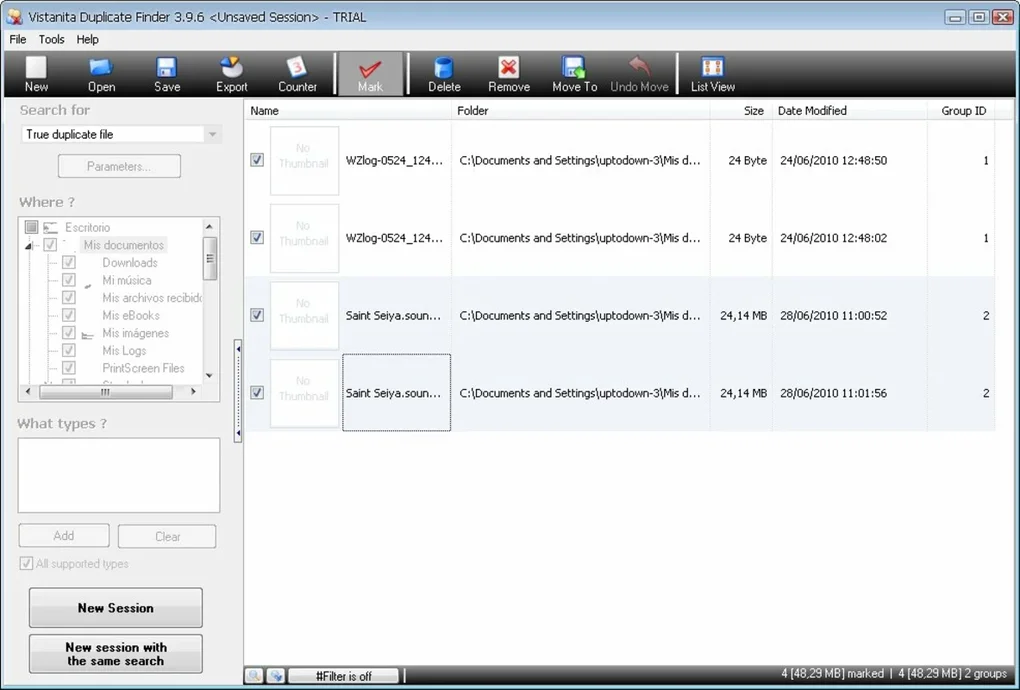
Another major advantage is the customizable scanning options. Users can choose specific folders or drives to scan, allowing for targeted cleanup without affecting important system files. You can also set filters based on file size, date modified, or file type, giving you full control over the scanning process. The software runs efficiently in the background, minimizing system impact, and completes scans in minutes—even on large storage drives. Once the scan is complete, the app presents a clear, color-coded list of duplicates, making it easy to review and select which files to delete. This level of precision and flexibility sets Vistanita Duplicate Finder apart from other file management tools on the market.
Additionally, the tool includes a preview function that lets you view duplicate files side-by-side before deletion. This feature is particularly useful when dealing with similar-looking files, such as edited versions of the same document or different resolutions of the same image. By enabling visual verification, Vistanita reduces the risk of accidental deletion and gives users confidence in their cleanup decisions. The entire process—from scanning to deletion—is secure, with no permanent changes until you confirm. This thoughtful design makes it a top choice for users who value both efficiency and safety in their file management workflow.
Easy Installation, Intuitive Interface, and Seamless Usage
Getting started with Vistanita Duplicate Finder is straightforward and hassle-free. After downloading the installer from the official website, the setup process takes less than a minute. The installer is lightweight, secure, and free from bundled adware or third-party software—something many users appreciate when seeking reliable tools. Once installed, the app launches with a clean, modern interface that’s easy to navigate, even for those with minimal technical experience. The main dashboard displays key options: scan settings, results summary, and deletion controls, all arranged in a logical flow.
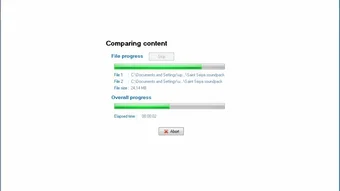
Using the tool is as simple as selecting the folders you want to scan, choosing your scan preferences (such as file types and duplicate criteria), and clicking “Start Scan.” The software then works silently in the background, providing real-time progress updates. After the scan finishes, you’ll see a detailed report showing the number of duplicates found, total space saved, and a categorized list of files. You can filter duplicates by type, size, or location, and use the built-in preview to double-check each file before removal. The app also supports batch deletion, so you can remove multiple duplicates at once with a single click.
For added convenience, Vistanita Duplicate Finder includes a “Smart Delete” mode that automatically removes the oldest or lowest-quality versions of duplicates, helping you keep the best files while freeing up space. It also allows you to move duplicates to a quarantine folder instead of deleting them immediately—ideal for users who want to review files later. The entire workflow is designed to be user-friendly, efficient, and safe, ensuring that even novice users can achieve professional-level file organization without stress.
Compatibility & System Requirements: Works on All Windows Versions
Vistanita Duplicate Finder is fully compatible with all major versions of Windows, including Windows 10, Windows 11, Windows 8.1, and Windows 7 (SP1). It supports both 32-bit and 64-bit operating systems, making it accessible to a wide range of users. The software requires minimal system resources—just 100 MB of free disk space and a minimum of 2 GB RAM—so it runs smoothly even on older or low-end machines. This broad compatibility ensures that whether you’re using a desktop, laptop, or work computer, you can benefit from this powerful file cleaner.
Since the app is designed specifically for Windows, it integrates seamlessly with the operating system’s file system, allowing for deep scanning of local drives, external storage devices, and network folders. You can scan your C: drive, D: drive, USB flash drives, external hard drives, and even mapped network locations. This flexibility makes it perfect for users who manage files across multiple devices or share data in a team environment. The software also respects file permissions and handles encrypted or protected files with care, avoiding errors during scanning.
Regular updates are released to improve performance, fix bugs, and enhance security. The developers at Vistanita are committed to maintaining the app’s reliability and ensuring it stays up-to-date with the latest Windows features. With no subscription fees or hidden costs, Vistanita Duplicate Finder remains a free, secure, and fully functional tool that users can rely on for long-term file management. Whether you're cleaning up a personal PC or optimizing a business workstation, this software delivers consistent results across all supported platforms.
Pros and Cons: What Users Should Know Before Downloading
- Pros:
- Advanced content-based duplicate detection with high accuracy
- Supports all major file types: photos, videos, documents, music, and more
- Fast, lightweight, and low system resource usage
- Intuitive interface with preview and batch deletion options
- Safe deletion with quarantine and undo features
- Free to download and use with no hidden costs
- Compatible with Windows 7 through Windows 11
- Regular updates and strong developer support
- Cons:
- Only available for Windows (no Mac, iOS, or Android versions)
- No built-in backup feature before deletion (users must manually back up)
- Advanced features require some learning curve for complete mastery
- Limited customization for scan rules compared to premium tools
Frequently Asked Questions (FAQ)
Is Vistanita Duplicate Finder really free to download?
Yes, Vistanita Duplicate Finder is completely free to download and use. There are no trial periods, subscription fees, or hidden charges. The full version is available at no cost, making it one of the most accessible file cleanup tools on the market.
Can it detect duplicate photos and videos accurately?
Absolutely. Vistanita Duplicate Finder uses content-based scanning, meaning it analyzes the actual data inside files—not just filenames. This ensures that even if two photos have different names but are identical in content, they will be flagged as duplicates.
Does it work on Windows 11 and Windows 10?
Yes, Vistanita Duplicate Finder is fully compatible with Windows 10 and Windows 11, as well as Windows 8.1 and Windows 7 (SP1). It’s optimized for all modern Windows systems and runs smoothly on both 32-bit and 64-bit architectures.
Can I recover files after deletion?
While the app doesn’t have a built-in recovery tool, it offers a “Quarantine” option that moves duplicates to a separate folder before deletion. You can review and restore files from this folder if needed, adding an extra layer of safety.
Is the software safe to use?
Yes, Vistanita Duplicate Finder is secure and free from malware, adware, or spyware. The developers prioritize user safety, and the software operates only on files you explicitly choose to scan. Always download from the official website to ensure authenticity.
Final Verdict: A Must-Have Tool for Every Windows User
If you’re tired of cluttered drives, slow performance, and wasted storage space, Vistanita Duplicate Finder is the solution you’ve been looking for. With its powerful scanning engine, user-friendly interface, and robust feature set, it delivers real value for free. Whether you're a student, professional, or casual user, this tool helps you maintain a clean, efficient digital environment. The ability to detect duplicates based on content, not just names, sets it apart from basic file managers. Plus, the secure deletion process and quarantine option ensure peace of mind during cleanup.
While it’s currently limited to Windows, its performance, reliability, and zero cost make it one of the best duplicate file finders available. If you're ready to reclaim your storage and boost your system’s speed, don’t wait—download Vistanita Duplicate Finder today and experience a faster, cleaner, and more organized PC.
Download Now – Free, Secure, and Powerful Duplicate File Cleaner for Windows
Guides & Tutorials for Vistanita Duplicate Finder
How to install Vistanita Duplicate Finder
- Click the Preview / Download button above.
- Once redirected, accept the terms and click Install.
- Wait for the Vistanita Duplicate Finder download to finish on your device.
How to use Vistanita Duplicate Finder
This software is primarily used for its core features described above. Open the app after installation to explore its capabilities.
User Reviews for Vistanita Duplicate Finder 0
No reviews found





